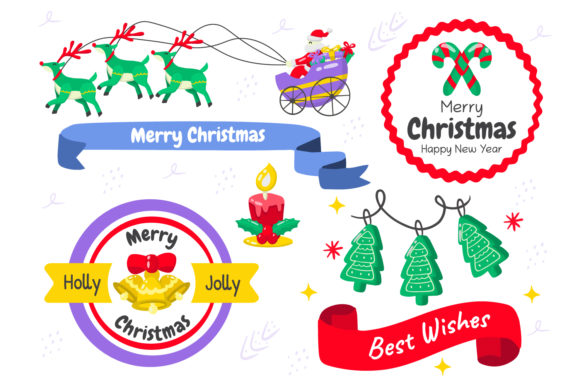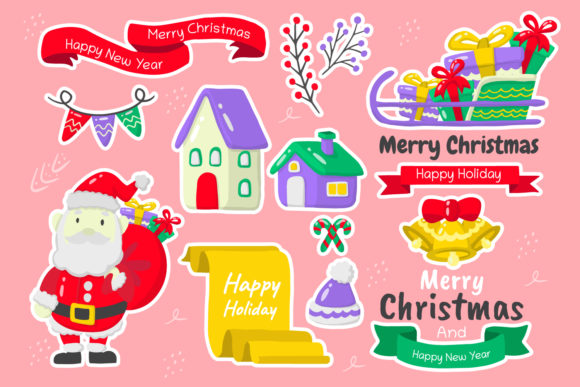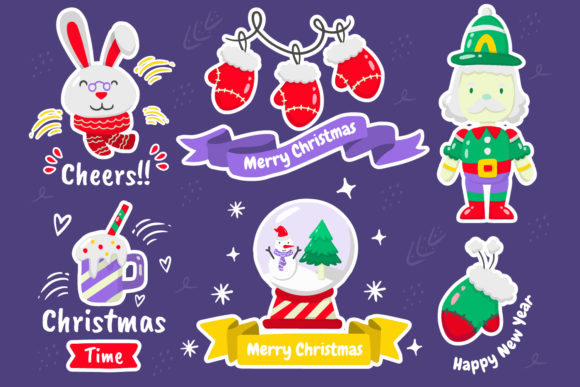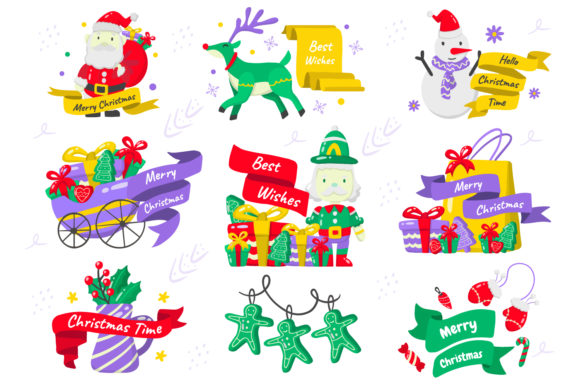
Christmas Elements Vol.7: A Versatile Design Collection
Creating festive content often feels like a balancing act between capturing the magic of the season and maintaining professional quality. Christmas Elements Vol.7 is designed to solve this exact challenge by offering a comprehensive library of illustrations that bridge the gap between artistic creativity and technical flexibility. Whether you are a seasoned graphic designer looking for premium assets or a small business owner trying to spruce up your holiday marketing, this collection provides the tools you need to bring your ideas to life without the headache of re-creating graphics from scratch.
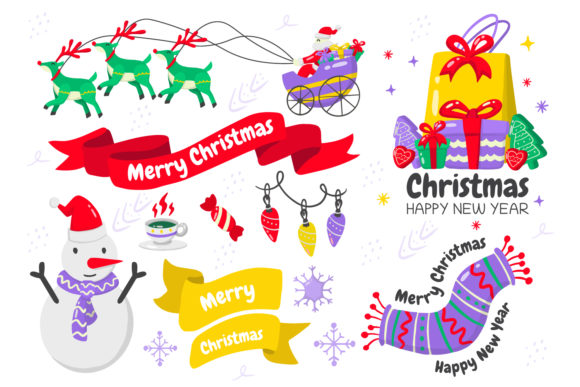
This collection stands out because it is not just a static set of images; it is a fully editable workflow solution. It includes a vast array of Christmas elements presented in various styles, ensuring there is something to fit every aesthetic preference. From traditional red and green motifs to modern, minimalist interpretations, the variety allows creators to maintain a unique brand voice while still celebrating the holidays. The core value lies in its format: all graphics are provided as 100% vector and PSD files, meaning you can open them in Adobe Illustrator and Adobe Photoshop with absolute confidence regarding quality retention.
Why Vector and PSD Formats Matter for Your Projects
In the world of digital design, file type is everything. Many designers have faced the frustration of purchasing an asset only to find it is a low-resolution raster image that becomes pixelated when resized for a large billboard or printed on a banner. Christmas Elements Vol.7 eliminates this risk entirely. By providing SVG, AI, PSD, EP10, and PNG files, the collection ensures scalability and precision.
The inclusion of editable AI files is particularly valuable for professionals who rely on Adobe Illustrator. Vector shapes allow you to scale any element up to the size of a building or down to a tiny icon without losing a single pixel of sharpness. You can change colors, adjust stroke weights, and manipulate paths to perfectly match your brand guidelines. Similarly, the editable PSD files offer a different kind of power. These layered documents let you work with complex compositions, blending modes, and effects directly within Photoshop.
However, it is important to understand the nuances of these formats to get the best results. While most features are fully editable in both programs, some specific effects created in Adobe Illustrator may not translate perfectly into Photoshop. For instance, certain advanced Warp Effect features might remain locked if the original file was constructed using Illustrator-specific tools. This is not a limitation of quality but rather a difference in how the software processes data. The collection is well-organized and fully layered, so even if you cannot edit a specific effect, you can easily isolate and modify other parts of the composition to suit your needs.
Practical Applications for Every Creator
The versatility of Christmas Elements Vol.7 makes it suitable for a wide range of users and scenarios. Here is how different types of creators can leverage this collection:
- Social Media Managers & Bloggers: Need eye-catching headers for holiday posts? You can use the vector shapes to create custom Instagram stories, Facebook covers, or blog featured images. The ability to edit text means you can quickly add "Merry Christmas" or "Holiday Sale" in your own fonts, which are listed in the included Readme file.
- Small Business Owners: Running a shop or service during the holidays requires consistent branding. Use these elements to design promotional flyers, email newsletters, or even product packaging labels. Because the files are layered, you can remove background elements or change colors to match your company's specific palette.
- Educators & Parents: Teachers looking to make lesson plans more engaging can print high-quality illustrations for classroom decorations. The vector nature ensures crisp prints regardless of the paper size, making them perfect for bulletin boards or activity sheets.
- Freelancers & Agencies: When a client needs a last-minute holiday card or a seasonal logo update, having a pre-made, high-quality resource saves hours of design time. You can quickly assemble mockups (note: actual mockup files are not included, but you can use these assets to build your own) to present concepts to clients.
For beginners, the fully layered structure acts as a learning tool. By opening the files and exploring how the layers are organized, you can see how professional designers construct complex scenes. You can experiment with changing the order of layers, adjusting opacity, or swapping out individual icons to see how they interact. This hands-on approach helps demystify the design process while delivering a polished final result.
Getting Started and What to Keep in Mind
Before diving into your project, it is helpful to know what is inside the package. The collection comes with a diverse mix of formats including .SVG, .AI, .PSD, .EP10, and .PNG. The Readme file is an essential companion, containing crucial information such as font names used in the text elements. If you do not have a specific font installed on your computer, the text might default to a standard font, but the Readme will tell you exactly which one was used so you can download it or choose a similar alternative.
One important consideration is the scope of editing. As mentioned earlier, while the files are highly flexible, the origin of the file dictates some limitations. If you open an Illustrator-created file in Photoshop, remember that you are working with a flattened representation of some effects. For maximum control over complex warping or 3D extrusions, it is often best to perform those edits in Adobe Illustrator first before exporting to Photoshop for final touches. Being aware of this workflow will save you time and prevent confusion.
Another detail to note is that mockups are not included in the download. This might seem like a drawback at first, but it actually offers greater freedom. Instead of being stuck with a pre-set presentation style, you can take these high-quality assets and place them into your own branded templates, websites, or physical products. This gives you complete creative ownership over the final look.
For anyone new to these file types, the organization of the collection is a significant help. The files are arranged logically, making it easy to find the specific element you need, whether it is a snowflake, a reindeer, or a decorative border. The editable text feature is another standout characteristic, allowing you to customize greetings instantly without needing to trace over letters or recreate typography manually.
Support and Community
Design projects sometimes raise questions, especially when dealing with complex file structures or specific software versions. The creator of Christmas Elements Vol.7 understands that support is part of the user experience. If you encounter any issues or have questions about how to utilize a specific feature, there is no need to struggle alone. The invitation to contact the creator directly ensures that you can resolve any hurdles quickly and get back to creating.
Ultimately, this collection is about empowering you to create beautiful, high-quality holiday content efficiently. It removes the technical barriers that often slow down the creative process, allowing you to focus on the message you want to convey. Whether you are designing a corporate holiday party invitation, a personal greeting card, or a dynamic website banner, Christmas Elements Vol.7 provides the building blocks you need to succeed.
By choosing a resource that prioritizes editability, quality, and organization, you are investing in a smoother workflow. The combination of vector precision and PSD flexibility means your designs will look professional on any screen or surface. So, go ahead and explore the possibilities, enjoy the process, and let these elements inspire your next festive masterpiece.