Beautiful Angel: A Versatile Graphic for Creatives
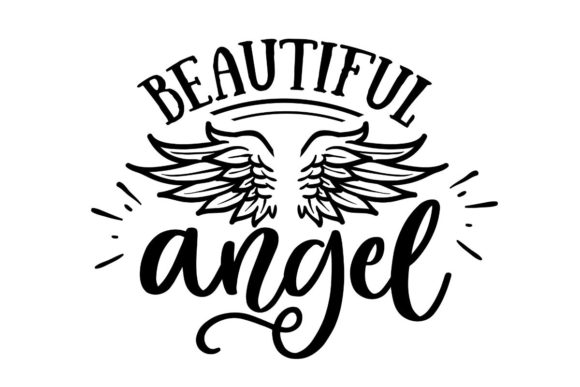
In a digital landscape saturated with generic templates and stock imagery, finding a design element that balances ethereal beauty with practical utility can be challenging. Beautiful Angel is not merely an illustration; it is a strategic asset designed to elevate your visual communication. This graphic leverages a sophisticated interplay between contrasting typography and a meticulously detailed vector of angel wings, creating a focal point that commands attention without overwhelming the viewer.
The core strength of this asset lies in its versatility. Whether you are a graphic designer crafting a brand identity, a blogger seeking to enhance a spiritual or inspirational post, or a small business owner preparing marketing materials, this file offers immediate value. It moves beyond simple decoration to become a functional component of your creative workflow, adaptable across various mediums and industries.
Understanding the Design Composition
The visual appeal of Beautiful Angel stems from its deliberate structural choices. The design pairs elegant, flowing fonts with sharp, high-contrast typography. This contrast creates a dynamic tension that draws the eye, ensuring the message is both legible and aesthetically pleasing. The inclusion of a detailed vector of angel wings adds a layer of texture and depth that flat illustrations often lack.
These wings are not just decorative flourishes; they symbolize protection, guidance, and elevation. When integrated into a layout, they provide a sense of movement and grace. For professionals who understand the psychology of color and form, this combination offers a ready-made solution for conveying themes of hope, purity, or transformation. The precision of the vector graphics ensures that whether you scale the image down for a social media avatar or up for a large-format banner, the quality remains crisp and professional.
File Formats That Empower Your Workflow
One of the most significant advantages of this package is the comprehensive selection of file formats included. Understanding which format to use for specific projects is crucial for maintaining output quality. Here is how each file type serves different needs:
- PNG Files (White and Black): These raster files are perfect for web usage, presentations, and quick mockups. Having both white and black font options allows you to ensure maximum visibility against any background color, eliminating the need for time-consuming recoloring in editing software.
- SVG (Scalable Vector Graphics): Ideal for responsive web design and modern UI/UX projects. SVGs allow the image to scale infinitely without losing resolution, making them essential for retina displays and fluid layouts.
- EPS (Encapsulated PostScript): The industry standard for print production. If you are sending files to a commercial printer for merchandise like t-shirts, mugs, or posters, the EPS file ensures that the curves and lines remain perfectly smooth at any size.
- DXF (Drawing Exchange Format): This is a critical format for hobbyists and entrepreneurs using cutting machines like Cricut or Silhouette. It translates the vector data into instructions that the machine can read, allowing you to cut vinyl, cardstock, or fabric with precision.
Creative Applications Across Industries
The adaptability of Beautiful Angel makes it suitable for a wide array of professional and personal projects. The key to successful application is aligning the visual language of the graphic with your specific audience goals.
For Content Creators and Bloggers
Bloggers and content marketers often struggle to create engaging headers that stop the scroll. Using Beautiful Angel as a featured image or a section divider can instantly elevate the perceived quality of your site. Imagine a blog post about overcoming challenges; the wings can visually represent the "lift" provided by the advice you are sharing. The contrasting fonts ensure that your title stands out while the wings add a subtle emotional hook.
For Small Business Owners and Marketers
Branding requires consistency and distinctiveness. If you run a boutique wellness studio, a mental health practice, or a children's clothing line, this graphic can serve as a unique logo element or a watermark. The ability to switch between the white and black PNG versions means your branding remains consistent regardless of the background color of your promotional flyers or email newsletters. It provides a touch of class that resonates with customers looking for premium services.
For Educators and Hobbyists
Educators can utilize this asset to create engaging classroom materials, certificates, or presentation slides that inspire students. The detailed wings offer a teaching moment on art composition, showing how different elements work together to create harmony. Meanwhile, hobbyists with cutting machines can bring this design to life physically. Create custom wall art, decorate greeting cards for holidays, or produce personalized gifts for family members. The DXF file opens up a world of tangible creativity.
Strategic Implementation for Professional Results
To get the most out of Beautiful Angel, it is important to approach the design process with intention. Avoid simply dropping the image onto a canvas and hoping for the best. Instead, consider the context in which it will appear.
Maintaining Visual Hierarchy
When integrating the graphic, ensure that the text remains the primary focus. The wings should support the message, not distract from it. If the design is too busy, try simplifying the surrounding elements. Use ample whitespace to let the details of the wings breathe. This approach keeps the result clear, effective, and organized, adhering to modern design principles that prioritize user experience.
Ensuring Consistency
Consistency builds trust. If you choose to use the white font version of the graphic, maintain that choice throughout your campaign unless a high-contrast background necessitates a change. Mixing styles randomly can make your brand look disjointed. By sticking to a cohesive strategy, you reinforce your identity and make your materials more memorable.
Adapting for Different Platforms
Different platforms have different requirements. A design that looks great on a desktop monitor might need adjustment for mobile screens. Use the SVG format to test responsiveness, ensuring the text remains readable on smaller devices. For print materials, always verify the color mode (CMYK vs. RGB) before sending to the printer to avoid unexpected color shifts. The flexibility of the included formats gives you the control needed to navigate these technical nuances.
Unlocking Originality in Your Projects
While Beautiful Angel is a pre-designed asset, it does not have to look mass-produced. You can customize the composition to reflect your unique voice. Experiment with layering the wings behind other text elements to create depth. Try adjusting the opacity or blending modes to integrate the graphic more seamlessly with your color palette.
The goal is to use this tool to spark your own creativity, not replace it. Let the detailed wings inspire new ideas for your next project. Perhaps you decide to combine the graphic with hand-drawn textures for a vintage feel, or pair it with bold, modern sans-serif fonts for a contemporary edge. The possibilities are limited only by your imagination and the technical skills you apply.
Ultimately, Beautiful Angel is more than just a download; it is a starting point for meaningful creation. By providing high-quality, versatile files, it removes technical barriers and allows creators to focus on what matters most: delivering valuable, inspiring content to their audiences. Whether you are building a brand, teaching a class, or expressing yourself creatively, this graphic offers the foundation you need to succeed.